Every screen above renders before you connect anything.
Go to [ozmium.org](https://ozmium.org). The product is in front of you immediately, running on live market data rather than a mock-up. Vault lists carry real net APY and TVL, loan markets carry real rates and borrowing ceilings, and the charts cover the full tradeable pair universe. A sign-in card is offered. Dismiss it and keep reading. Frosted glass appears over the columns that are meaningless without a wallet, such as your asset list and your transaction history, with labeled demo samples underneath. Nothing interrupts you with a connect popup. To see the whole interface populated with positions before connecting anything, open the [demo view](https://ozmium.org/?demo). That was a deliberate change. In the operator's words: > Last night, I read an X post from a genuine perspective throwing shade at apps that require you to > connect your wallet or SIWE to see features. Absolutely lost sleep over it. So as of today, you > don't need a wallet to use Ozmium. ## Connect a Wallet to Transact Reading is open. Signing requires a wallet, and there are three ways in: | Option | For | |---|---| | **Sign in with Base** | An existing Base account, via extension, the [Base App](https://base.app/invite/ozbeta/D1H4FT25), or the email and passkey it was created with | | **Create A [Base Account](https://docs.base.org/base-account)** | Starting fresh. Email and passkey, no seed phrase | | **Mini-Apps and More** | An injected EIP-1193 wallet, or Ozmium opened inside the Base App or [Farcaster](https://farcaster.xyz/~/code/1914H5) with the host wallet already connected | Both Base options open the same SDK window, which offers sign-in and account creation together. {{signup}} EIP-5792 smart accounts are supported and preferable: approvals batch with the action into a single confirmation, and the host can sponsor gas. New to Base entirely? See [Wallets And Base](/start/wallets-and-base/). ## Fund the Wallet | Asset | Purpose | |---|---| | ETH | Gas. Nominal balances suffice, but never let it reach zero | | USDC | Perpetual margin and the quote asset for most activity | Buy through the in-app Deposit flow, which routes to Coinbase's hosted on-ramp, or withdraw from an exchange to Base. Full detail in [Transfers](/guides/deposits-and-withdrawals/). ## Execute a Swap A swap is the shortest path through the full signing flow. 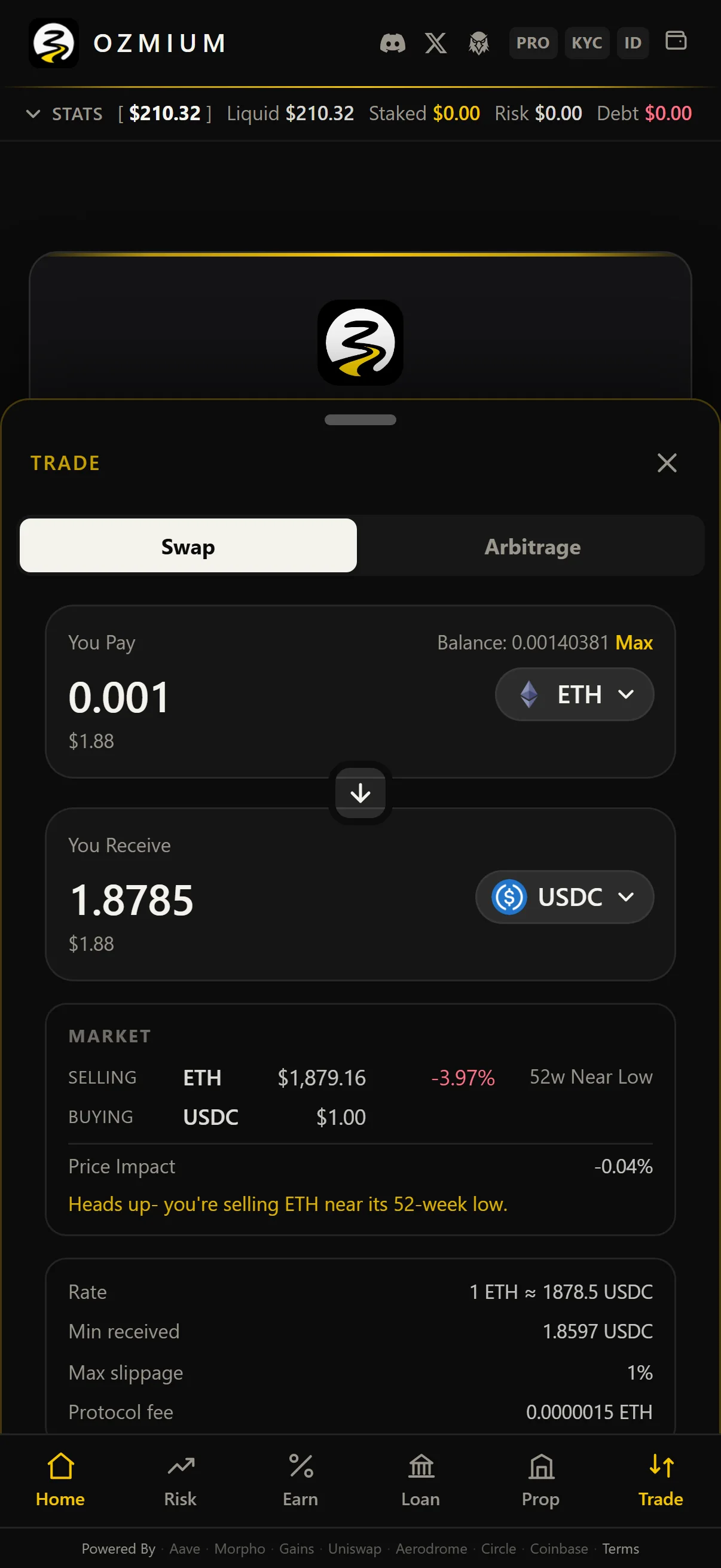 1. Select the asset you are paying with and the asset you want. 2. Enter an amount. Expected output, route, price impact, minimum received, maximum slippage, and protocol fee are displayed before you commit. 3. Approve the token if this wallet has not spent it before. Smart accounts batch this with the swap. 4. Sign. Your wallet displays the final transaction; it cannot be altered after that point. 5. The resulting hash links to Basescan. Full detail in [Trade](/guides/trade/). ## Verify Before You Sign Your wallet is the final control. Before approving: - Confirm the destination contract against [Security And Trust](/company/security/). - Confirm the asset and the amount. An unlimited approval is a standing permission, not a one-time spend. - Confirm the network is Base mainnet, chain 8453. ## Next | Objective | Page | |---|---| | Move Funds in or Out | [Transfers](/guides/deposits-and-withdrawals/) | | Review Holdings and Positions | [Home](/guides/portfolio/) | | Swap Assets | [Trade](/guides/trade/) | | Earn Yield | [Earn](/guides/earn/) | | Borrow against Collateral | [Loan](/guides/borrow/) | | Trade with Leverage | [Risk](/guides/leverage/) | | Provide Liquidity | [Liquidity](/guides/liquidity/) | | Integrate an Agent | [Agent API](/agents/overview/) | | Pin it to a home screen | [Install as an App](/start/web-apps/) |