 Ozmium Docs
Trade
How to swap tokens on Base with Ozmium - getting a quote, setting slippage, what the three costs are, and what to do when a swap fails.
A swap trades one token for another at the current price. There is no leverage, nothing to liquidate, and no position left over afterward, which makes it the easiest place to start.
Making a Swap
- Pick the token you are paying with and the token you want.
- Enter an amount. You will see the expected output, the route, and the fees before you commit to anything.
- Approve the token if this is your first time spending it from this wallet. On a smart wallet the approval is bundled with the swap, so it is one confirmation instead of two.
- Sign. Your wallet shows the final transaction.
- The transaction hash links to Basescan when it lands.
Routing and pricing come from the Coinbase Developer Platform Trade API using Permit2.
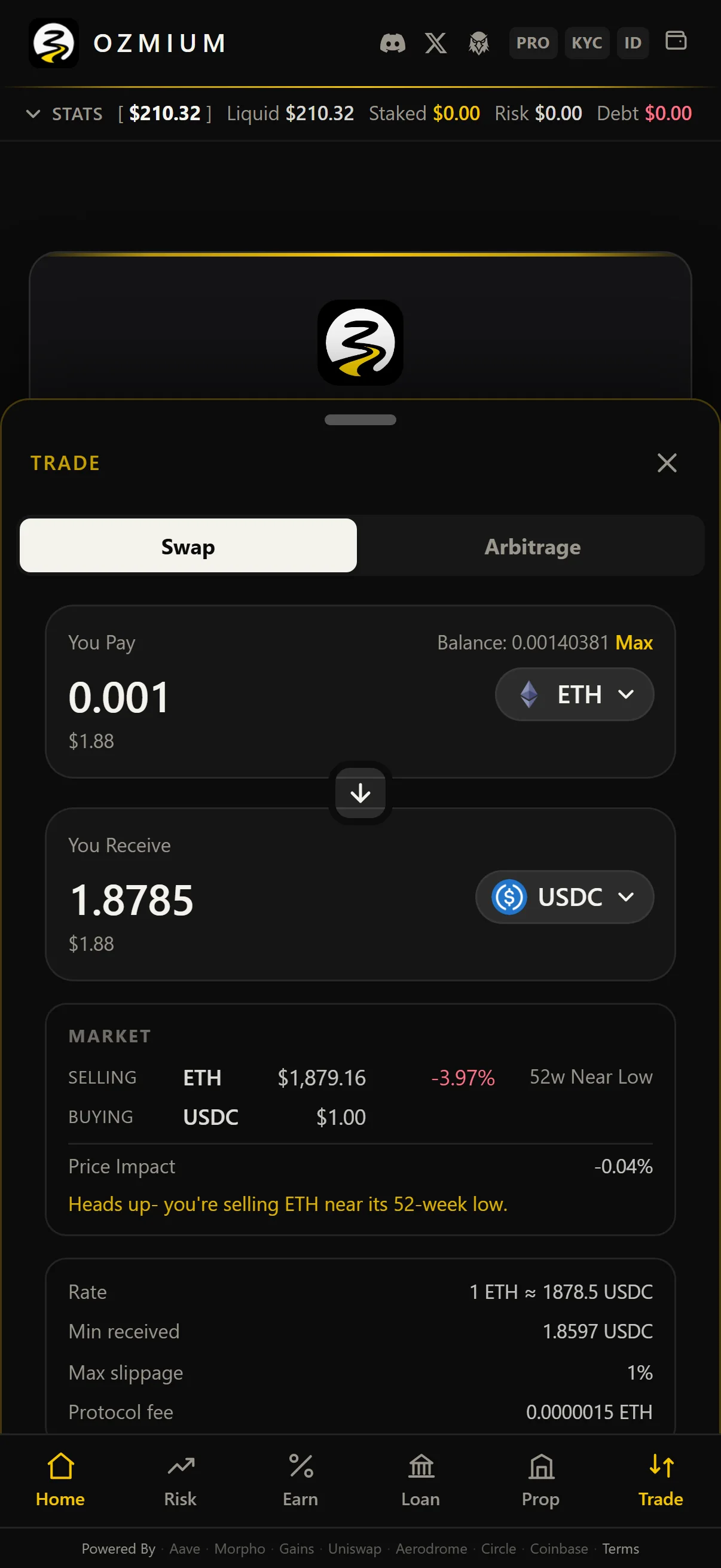
You may also see a line like the one in that screenshot, warning that you are selling ETH near its 52-week low. Those appear when something about the trade is worth a second look. They do not block anything.
Slippage
Prices move between the moment you get a quote and the moment your transaction is included. Slippage is how much of that movement you are willing to accept.
Set it too tight on a thin pair and your swaps will keep failing. Set it too loose on a volatile one and you can fill well below what you expected. A failed swap costs gas but not the tokens you were trading, so failing is usually the better of the two outcomes.
If a swap keeps reverting, that is worth reading as information about how deep the pair actually is.
What a Swap Costs
Three separate things, often confused for each other:
| Cost | Who Charges It | Where It Shows Up |
|---|---|---|
| Network Gas | Base | Paid in ETH, separate from the trade |
| Pool or Venue Fee | The DEX Being Routed Through | Already Inside the Quoted Output |
| Price Impact | The Market | Shown in the quote; grows with order size |
Ozmium does not add a fee of its own. The app is free for people.
Arbitrage
Ozmium also computes routes across venues and reports the spread after gas and pool fees rather than before. Two numbers that look similar on a screen can be opposite in practice, and the one that matters is the one with costs already taken out.
Agents can request these directly at GET /v1/arbitrage. See
Endpoint Catalog.
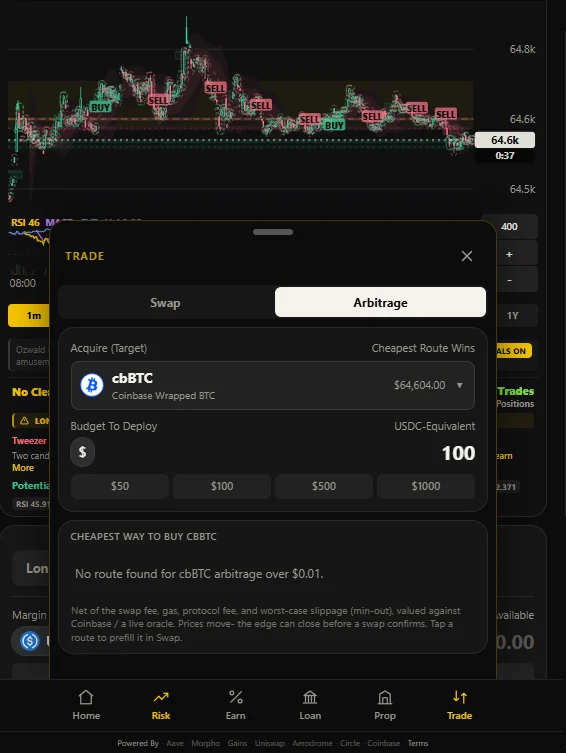
Note what it says when there is no edge: no route found for cbBTC arbitrage over $0.01. A tool that only ever finds opportunities is not measuring anything.
Checking What Happened
The transaction hash is your receipt. Open it on Basescan and the Transfer events show exactly what
moved and where. Balances in the app come from onchain state rather than an optimistic guess, so if
the two ever disagree, believe Basescan.
When a Swap Fails
"Transaction reverted." Usually slippage. Get a fresh quote and try again, or widen your tolerance a little on a thin pair.
"Insufficient allowance." The approval did not land, or it was smaller than the swap needs. Approve again. On an injected wallet these are two separate transactions and the first can fail quietly.
"Insufficient funds for gas." You spent the ETH you needed to pay for the transaction. Keep a small buffer you never trade.
Output smaller than expected. Price impact on a shallow pair. Split the order into pieces, or use a more liquid route.
More in Troubleshooting.

